

Written by Faramarz Kamali, co-founder of The Viral Vibe Media
Faramarz Kamali is the co-founder of The Viral Vibe Media, a Sydney-based video production and digital marketing agency he runs with his wife, Marjan. Together they specialise in high-impact commercial videography, social media content, and AI-powered video production for Sydney businesses, with a portfolio spanning trades, hospitality, health, and personal-brand clients across the city.
In This Guide
- What Counts as a Training Video in 2026
- Live Action vs. Screen Capture
- Who Commissions Training Videos
- Types of Training Video We Cover
- The Production Process, Step by Step
- What Training Video Costs in Sydney
- LMS, Captions and Multi-Language
- Briefing for Longevity
- Measuring Whether It Worked
- Frequently Asked Questions
Key Takeaways
- Training video isn't one thing. New-hire onboarding, compliance/WHS, SOP demonstrations, software walkthroughs and customer-facing explainers each need a different filming approach, not one generic template stretched to fit all five.
- Live action wins where trust, a real site or a physical process matters — compliance, safety, hands-on trades work. Screen capture, often paired with a presenter intro, is the better fit for software and product walkthroughs.
- A video covering one process usually fits inside a standard half-day or hourly on-location booking. Libraries covering multiple modules are custom quoted, not sold as a fixed package.
- Script and film in swappable segments from the outset. When one step in a process changes, you reshoot that segment, not the whole video.
- Ask any vendor how they'll measure whether the video actually worked before the shoot, not after delivery: completion rate, fewer repeat questions, faster time-to-competency.
A new hire's first Monday: a laptop, a login, and a 40-slide PDF called "Welcome to the Team" that someone reads out loud over a video call. By slide 12, half the room has muted their mic and opened a second tab. By slide 30, nobody remembers what was on slide 15. Three weeks later, that same new hire asks their supervisor a question that was, technically, covered on slide 22. Reading a PDF at someone isn't training. It's paperwork with extra steps and a worse signal-to-noise ratio than the PDF itself.
Meanwhile, the operations manager down the hall is fielding the same question for the fourth time this month, because the correct way to close out a shift only ever got explained once, verbally, to whoever happened to be on that particular roster. Neither problem gets solved by a slide deck. Both get solved by a short piece of video that shows the real process, filmed where the work actually happens, that a new person can watch in their own time and come back to when they forget it. This guide is for L&D managers, HR leads, operations managers and SaaS or product marketers weighing up training video production in Sydney against building it in-house, and who want a straight answer on formats, process and cost before they commit to either.
What Counts as a Training Video in 2026
A training video is filmed or screen-recorded content built to teach a specific person how to do a specific thing — onboard into a role, follow a compliance procedure, run a process correctly, or use a piece of software. That's a broader category than most people assume, and treating every training video request as the same job is exactly why briefs go sideways before filming even starts. The table below is a working map of the five formats that cover almost every training brief we see.
| Video type | Primary audience | Typical length | Best format |
|---|---|---|---|
| New-hire onboarding | New employees, first week | 3–8 minutes, often split into short modules | Live action — talking-head plus real workplace footage |
| Compliance / WHS / safety | All staff, contractors, site visitors | 2–5 minutes per module | Live action, filmed on the actual site |
| SOP / process demonstration | Frontline and operations staff | 1–4 minutes per process | Live action, sometimes hybrid with screen capture for digital steps |
| Software / product walkthrough | New users, internal teams | 2–6 minutes | Screen capture, usually with a live presenter intro |
| Customer-facing explainer | Prospects, customers | 60–90 seconds | Hybrid — live-action framing plus a screen-capture demo |
Notice what's missing from that list: 2D or 3D character animation. It's a legitimate route for some training content: abstract internal systems, data flows, anything with no physical component to film. But it isn't what we build. Our strength, and the focus of this guide, is live action and screen capture. We film your staff on your site, using your own software, then edit it into something a new person will actually watch to the end.
Live Action vs. Screen Capture: Choosing the Right Format
The single biggest factor in whether a training video gets used is whether it was filmed in the right format for what it's teaching. Get this wrong and you end up with a beautifully shot video nobody trusts, or a screen recording trying to explain something that only makes sense in person.
Live action wins when trust, a real environment or a physical process is part of what's being taught. Compliance and WHS training needs to show the actual site, the actual PPE, the actual hazard — a generic stock-style video undermines the message before it's finished playing. Process and SOP videos for trades, hospitality, warehousing or healthcare work best when staff can see a real colleague, in their own workplace, doing the task correctly. There's a trust signal in seeing a real person perform a real task that no amount of polish replaces.
Screen capture, or a hybrid of the two, is the better call when the training is about software. A product walkthrough or internal-tool tutorial needs to show exactly what a user sees on their own screen: cursor movements, clicks, the actual interface. Live-action filming of a monitor can't replicate that cleanly. The strongest software walkthroughs we produce pair a short live-action intro from a real presenter with a clean screen capture for the how-to portion, so the video still has a human face attached to it rather than feeling like an unnarrated recording.
Animated explainer video has its place for concepts that are genuinely abstract — no site to film, no interface to capture, just a system or a concept that needs a visual metaphor. If that's your brief, it's worth knowing upfront that it sits outside what we do. Where the subject is a real process, a real product, or real people, live action and screen capture consistently outperform animation on both cost and how much staff trust what they're watching.
Who Commissions Training Videos (and What Each Team Needs)
The brief looks different depending on who's holding it. Here's how the same request, "we need a training video," tends to split by role.
| Role | What they typically need |
|---|---|
| L&D managers | Modular content that maps to an existing course structure, a consistent format across modules, and files ready to sit in an LMS without extra conversion work |
| HR leads | Onboarding video that cuts down repeat questions in the first week, with a tone that matches the culture and policy content already in use |
| Operations managers | Process and SOP video that's accurate to how the floor or site actually runs today, and fast to update the moment a step changes |
| SaaS / product marketers | Customer-facing walkthroughs that double as both sales enablement and support content, usually screen capture with clear narration over the top |
Knowing which of these four you are before the first call saves a round of back-and-forth. An L&D manager building a 12-module compliance library and a SaaS marketer wanting one 90-second explainer are both asking for "training video." But they need different scopes and formats, and usually a very different quote.
Types of Training and Onboarding Video We Cover
Five formats, filmed differently, each solving a different problem.
New-Hire Onboarding
The first thing a new employee watches before their induction day, or during it. Covers who's who, how the team works, and the practical basics: building access, systems logins, where things are. Otherwise all of that gets explained verbally, over and over, to every single new starter. Usually filmed as a series of short modules rather than one long video, so it's easy to re-watch just the section that's relevant.
Compliance, WHS and Safety Training
Filmed on the actual site, showing the actual equipment, PPE and procedure staff are expected to follow. This is the format where live action matters most — a compliance video shot somewhere that doesn't look like the real workplace tends to get treated as a box-ticking exercise rather than something staff actually absorb.
Process and SOP Demonstration
A real staff member walking through a specific standard operating procedure, start to finish, in the order it actually happens on the floor. Keep these short and single-purpose: one process, one video. That way a change to one step doesn't force a reshoot of the whole library.
Software and Product Walkthrough
Screen capture of the actual interface, usually paired with a short live-action intro so the video has a real presenter attached rather than opening cold on a screen recording. Common for internal tools, CRM rollouts and any software change that needs consistent training across a distributed team.
Customer-Facing Product Explainer
A short, hybrid piece — live-action framing that establishes the problem, then a screen-capture demo of the product solving it. Built to sit on a website, in a sales deck, or in an onboarding email sequence for new customers rather than internal staff.
The Production Process, Step by Step
- SME interview and discovery. A conversation with whoever actually knows the process (the subject-matter expert, not just the person who commissioned the video) to get the sequence and terminology right before a script exists.
- Scripting. Built in modular segments (more on this below) rather than one continuous script, so individual sections can be updated later without a full rewrite.
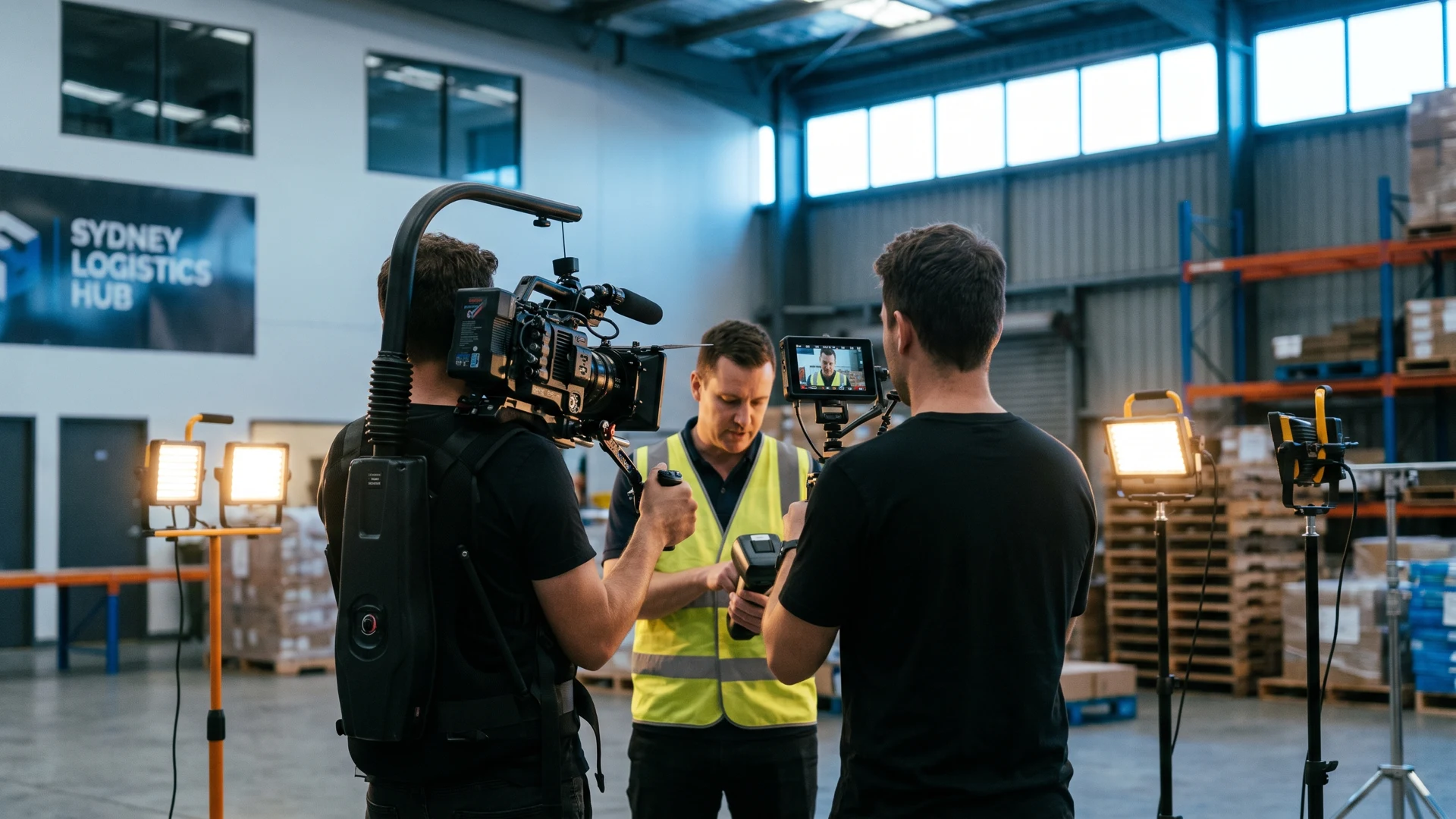
- Filming on location. Live-action segments shot where the work happens: your site, your staff, your equipment. Not a studio standing in for it.
- Screen capture. Any software or interface segments recorded separately, in high resolution, with cursor movement and clicks clean enough to follow at reduced playback speed.
- Edit and captioning. Segments cut together. Colour and audio levelled. Closed captions burned in or supplied as a separate file, depending on where the video's going to live.
- LMS-ready export. Final files sized, named and formatted for wherever the video is being delivered — an LMS, an internal drive, or a public-facing page.
What Training Video Costs in Sydney
There's no single "training video" price, because the format and scope vary so much between a one-off SOP video and a full onboarding library. Here's how the formats above map to standard Sydney production pricing.
| Scope | Typically fits | Starting point |
|---|---|---|
| Single process or SOP module, up to 60 seconds finished | Half-Day Commercial Video — up to 4 hours, one Sydney location, one round of minor revisions | From $1,895 + GST |
| Onboarding video plus short social/internal cut-downs, up to 90 seconds finished | Full-Day Commercial Content — up to 7 hours, main video plus three short edits, two rounds of minor revisions | From $2,995 + GST |
| Additional filming time on-site beyond a package | On-Location Filming, billed hourly | $299/hour + GST, 2-hour minimum |
| Editing an existing recording, adding captions or basic graphics | Editing & Post-Production only | From $149/hour + GST |
| Heavier LMS-branded motion graphics or animated overlays | Quoted separately from standard editing — this isn't included in base post-production rates | Quoted per project |
| Multi-module training library or ongoing content | No fixed package exists for this: scope and cadence vary too much to price as a standard product | Custom quoted |
These figures come straight from our own video production packages and pricing — worth checking directly, since packages get refined over time. What moves a training video quote beyond the starting point: number of locations, how many modules are being scripted, whether captions and basic graphics cover it or the brief needs heavier motion graphics, and how much of the SME's time is needed on shoot day.
LMS Export, Captions and Multi-Language
Most organisations commissioning training video need the finished files to work inside an existing learning system, not just play back as a standalone video. A few practical points worth planning for before the shoot, rather than after delivery:
- LMS compatibility varies by platform. Export formats, file size limits and packaging requirements differ between learning management systems, and some expect content packaged in a specific way. Confirm your platform's current requirements with your L&D or IT team before the edit is locked, rather than assuming a standard MP4 export will work everywhere.
- Closed captions should be standard, not an afterthought. Captions make training video accessible to staff who are deaf or hard of hearing, useful in noisy workplace environments where audio isn't practical, and easier to follow for anyone watching on mute. Build captioning into the brief from the start rather than adding it as a late request.
- Multilingual workforces need a plan, not just a translation. If your team includes staff whose first language isn't English, decide early whether that means subtitled translations of the same video, a dubbed audio track, or separate scripts recorded in each language. Each option has a different cost and turnaround, and it's far cheaper to plan for this before filming than to retrofit it afterwards.
None of this is exotic, but all of it is easier to get right when it's part of the original brief rather than a fix applied after the video is already cut.
How to Brief a Training Video So It Doesn't Go Out of Date
The most common complaint about training video isn't quality — it's that the process changed six months later and now the video is wrong, and nobody wants to pay for a full reshoot over one updated step. The fix is in how the video gets scripted and filmed in the first place, not in filming it faster.
Script in modular segments. Instead of one continuous script, break the process into discrete steps, each filmed as its own segment: step one, step two, right through to the end, rather than one unbroken take. When step 4 changes, you reshoot the segment covering step 4. Everything else stays in the final cut untouched.
Name and version segments from day one. A simple naming convention (something like [process]-step[number]-v[version], for example closing-checklist-step3-v2) keeps track of which segment is current and which has been superseded, especially once a video's been updated two or three times. This matters more than it sounds. Without it, editors end up hunting through old project files trying to work out which take is the one currently live.
Keep the intro and framing separate from the process steps. If your onboarding video opens with a general welcome before moving into specific steps, film that opening as its own segment. It rarely needs to change, so there's no reason to re-record it every time a downstream step does.
None of this adds meaningfully to the cost of the original shoot. It does mean the difference between a $150 fix six months from now and a full reshoot at full-day rates because the whole video has to be redone to change one sentence.
Measuring Whether a Training Video Actually Worked
It's tempting to treat "we made the video" as the finish line. It isn't. Before you commission a training video, whether in-house or through a production partner, it's worth deciding upfront how you'll know if it actually did its job. These are the questions worth asking, of yourself and of any vendor:
- What's the completion rate? If your LMS tracks it, are new hires actually watching the video to the end, or dropping off partway through?
- Has the number of repeat questions gone down? If a supervisor was fielding the same question weekly before the video existed, is that still happening three months later?
- Has time-to-competency changed? Is a new hire able to perform the process correctly, unsupervised, in less time than before the video existed?
- Is the video actually being used, or just sitting in a folder? A training video that isn't linked from the onboarding checklist, the LMS module, or wherever staff actually look, won't get watched no matter how well it's made.
We can't hand you a completion-rate percentage or a case study number here — every workplace and every LMS reports this differently, and quoting a figure without a named source would be exactly the kind of unverifiable claim worth being suspicious of. What we can tell you is to ask these questions before the shoot, build in a way to answer them, and treat "did it work" as part of the brief rather than an afterthought.
Frequently Asked Questions
How long should a training video be?
Shorter than you'd expect. Individual modules typically run 1–5 minutes, even for a full onboarding series — split into segments a new hire can watch in one sitting and return to later, rather than one long continuous video that's harder to re-watch selectively.
Do you film on-site at our workplace?
Yes. Live-action training video is filmed where the work actually happens: your site, your staff, your equipment, because that's what makes compliance and process video credible to the people watching it. Screen-capture segments for software walkthroughs are recorded separately.
Can we update a video later without reshooting everything?
Yes, if it was scripted and filmed in modular segments from the start. A single-step change means reshooting that one segment, not the whole video — see the briefing section above for how we set this up before the first shoot day.
Will the files be ready for our LMS with captions included?
Captioning is standard practice and should be part of the original brief. LMS export requirements vary by platform, so confirm your system's current specs with your L&D or IT team before the edit is locked — we'll format final delivery to match what you tell us the platform needs.
What's the difference between a training video and an explainer video?
A training video teaches an internal audience (staff, contractors) how to do something specific, like follow a compliance procedure. A customer-facing explainer teaches a prospect or customer what your product does and why it matters. Some projects need both, built from the same underlying content.
Do you make animated training videos?
No — we're a live-action and screen-capture production agency, not an animation studio. If your training content is genuinely abstract with no physical process or real interface to film, animation may be the better route, and it's worth knowing that upfront rather than after a quote.
Have more questions? Check our FAQ.
Keep exploring.
Hiring a Corporate Videographer: The Ultimate ROI-Driven Checklist for 2026
The same vendor-vetting logic applies to a training video partner — what to ask before you commit an L&D budget to a shoot.
Commercial Videography & PhotographyCorporate Videography in 2026: The Ultimate Guide to High-Impact Brand Storytelling
Training video is one piece of a wider corporate video strategy — this guide covers how it fits alongside brand and culture content.
Next-Gen Video Content Powered by AIAI Video Content for Business: An Australian Guide to What Actually Works in 2026
AI-generated vs AI-assisted video, the real trust data, and Australia's new disclosure rules explained in plain English.
Ready to fix your onboarding video?
Book a free 15-minute strategy call — we'll tell you honestly whether your training content needs a full shoot, a screen-capture session, or something in between.
Book a Strategy Call